

Flutter vs Swift is a hot debate. It has gained significant traction in the iOS app development industry, with each side presenting compelling arguments for why it should be the best choice for making user-centric and modern iOS apps. While Flutter is a cross-platform development framework, Swift is a programming language for native app development.
Both technologies are different, yet they hold great dominance in the iOS development field. And since they both serve the same niche, the debate is obvious. There is a constant rivalry between Flutter vs Swift in the market, especially as businesses increasingly focus on performance, scalability, and faster time-to-market.
However, selecting the right technology in the Flutter vs Swift comparison is genuinely not an easy decision. It is because they both offer plenty of features. And which of them is suitable for your project, particularly, is a great challenge to figure out.
To help you with this, we will provide you with a detailed comparison between Flutter and Swift. We will evaluate both technologies from a technical as well as a business perspective, covering aspects such as performance, development speed, cost, scalability, maintenance, and long-term viability. By the end of this blog, you will know which one is better for your iOS app development project.
Table of Contents
Current Market Overview of Flutter vs Swift
Flutter and Swift are popular technologies in the iOS app development realm. Both tools come with distinct development approaches but cater to the same goal: building scalable and high-quality iOS apps. This has positioned Flutter and Swift as two major dominant choices in the current iOS app development market.
According to the Stack Overflow Developer Survey (2025), Flutter continues to rank among the leading frameworks used by mobile developers globally and is especially popular for cross-platform development projects. At the same time, SwiftUI have seen increased adoption in recent years. Now, over 60% of iOS app developers use Swift to build their unique iOS applications.
As the iOS market share continues to grow due to its expanding user base and strong market penetration, the future of iOS app development seems more competitive than ever. Today, businesses and developers have multiple options for building iOS apps. They can choose cross-platform development frameworks like Flutter and native SDKs like Swift & Xcode. This helps them achieve faster delivery and create apps that offer enhanced user experiences.
What is Flutter?
Flutter is a cross-platform app development framework owned by Google. It is an open-source mobile app development technology that allows developers to write a single codebase for all mobile OS platforms.
Flutter has a rich collection of widgets and natively compiled user interfaces for Android, iOS, and other mobile operating systems. It uses Dart as its programming language for creating apps for iOS and Android.
Key Features of Flutter
Flutter is a modern UI SDK that comes with innovative features, allowing developers to build compelling apps. Its architecture is built with three layers: embedder, engine, and framework, which makes it an efficient technology.
Here are the features of Flutter that make it a reliable choice for every Flutter app development company or developer to develop iOS apps:
1. Cross-Platform Development
Flutter provides high-standard cross-platform application development support. It allows developers to write a single codebase and deploy it across all platforms: desktop, mobile, and web. There is no need to create apps separately for each device platform.
By simply writing once, developers can launch their app on various platforms. Moreover, it also helps in updating and adding new features to their app easily. Developers can make changes to the code once. Hence, it saves significant time and cost.
2. Hot Reload Feature
Hot reload is a unique feature of the Flutter framework. Every Flutter app development company uses this feature to improve the development speed and their developer’s productivity.
With Hot Reload. Developers can view the changes made in the code in real-time. They can view the changes side by side on their screen with a sub-second delay. And thus, detect any potential effort before it happens in the application.
3. Customizable UI Design
Flutter is known for offering a rich UI library and extended support for customising UI design. Flutter iOS UI even allows easy customisation for complex UI designs, which are sometimes not feasible with native development frameworks.
Designers can get shadow manipulations, colour, shape, and shared element transitions in Flutter for designing applications. Consequently, it makes the UI design process more flexible without increasing the workload.
4. Reusable Widgets
Flutter SDK has a variety of widgets. These widgets are used to build a mobile app’s fundamental building blocks and visual components. The best thing about Flutter’s widgets is that they are designed to meet the latest guidelines of Android’s Material Design and Apple’s Cupertino Style. Using these widgets, developers can effortlessly customise the user interfaces.
5. Accessibility to Native Features
Creating native apps is expensive. Businesses can’t afford to build native apps repeatedly. Here, Flutter provides great resources and natively-compiled Uis which assist in creating native-like apps. Mobile apps built with Flutter give near-native performance as natively built apps.
It is due to Flutter’s non-dependency on intermediate code representations. Flutter app development is executed directly into machine code. Thus, it eliminates any potential bugs or errors related to the interpretation process.
What is Swift?
Swift is a general-purpose and open-source programming language for iOS development. It is Apple’s own language, which is used as part of the native iOS SDK for iOS, iPad, macOS, watchOS, and tvOS. It is basically an upgraded version of Objective-C that offers better ease of use, simplicity, and good maintainability. As per Statistica Report 2025, Swift has over 5.4% of developers who use it as the default language for creating iOS apps.
This is because Swift contains all the features that a modern programming language should have. Its coding comes with enhanced readability, clear syntax, and improved safety. Therefore, it is counted among the top iOS app development languages in 2026.
Key Features of Swift
Swift comes with improved capabilities that help an iOS app development company in developing iOS apps more efficiently. It is a mature and stable language and offers great support due to the following features:
1. Interoperability
Although Swift is the latest programming language version, it is still quite compatible with Objective-C. It means iOS developers can work along with Objective-C as well. Swift’s interoperability makes it easier for developers to integrate this language with other platforms and tools.
2. Easier Programming
Swift’s programming syntax is precise and expressive. It requires less code writing than other languages. Consequently, developers don’t have to put huge manual efforts into tracking and managing memory. Swift has automatic reference counting (ARC), which automates various tasks in programming.
3. Enhanced Performance
Apple released Swift with the goal of improving the speed and performance of iOS development. Swift performs much better than Objective-C and optimises the development process through its protocol-oriented programming. SwiftUI for iOS app development contains all the additional features as well. As a result, it improves the speed and efficiency of the development process.
4. Extended Development Support
Swift is primarily built for native iOS app development within Apple’s ecosystem, which covers iOS, iPadOS, macOS, and more. However, it can be used for developing apps that support environments like Linux. This is because it is an open-source technology, so developers can freely use it across the globe.
5. SwiftUI and Declarative UI Development
SwiftUI is Apple’s modern, declarative UI framework that works seamlessly with Swift. It allows developers to build user interfaces using less code while ensuring better performance and consistency across Apple platforms. With real-time previews, built-in accessibility support, and tight integration with Apple’s ecosystem, SwiftUI has become the preferred approach for building modern iOS applications in 2026.
Flutter vs Swift: A Side-by-Side Comparison Table
Before diving into a detailed comparison based on various factors, it’s helpful to look at a side-by-side overview of Swift vs Flutter:
| Criteria | Flutter | Swift |
| Popularity (GitHub Stars) | 175K stars (Source) | 69.6K stars (Source) |
| Community | Large and rapidly growing | Strong, Apple-centric community |
| Release Year | 2017 | 2014 |
| Built by | Apple | |
| Onboarding Process | macOs + Xcode + Flutter SDK | macOS + Xcode |
| Development Time | Faster for multi-platform apps | Faster for iOS-only apps |
| App Reload Time | Real-time updates with Hot Reload | Requires manual rebuild |
| Accessibility to Native Features | Depend on external tools | Has direct access via native SDKs |
| Testing | Has built-in unit, widget & integration testing | Has Native Testing tool-XCTest |
| Learning Curve | Easier Due to the Dart Language | Easier Due to Detailed Documentation |
| Open Source | Yes | Yes |
| Cross Platform Compatibility | Yes (iOS, Android, Web, Desktop) | No (Apple ecosystem only) |
| UI Builders | Flutter UI SDK | Swift UI & UIKit |
| IDE Used | Visual Code, Android Studio, IntelliJ | Xcode |
| Application Size | Larger than native apps | Smaller and more optimised |
| Cost | Budget-Friendly for cross-platform projects | Higher due to platform-specific development |
Flutter vs Swift: A Detailed Comparison
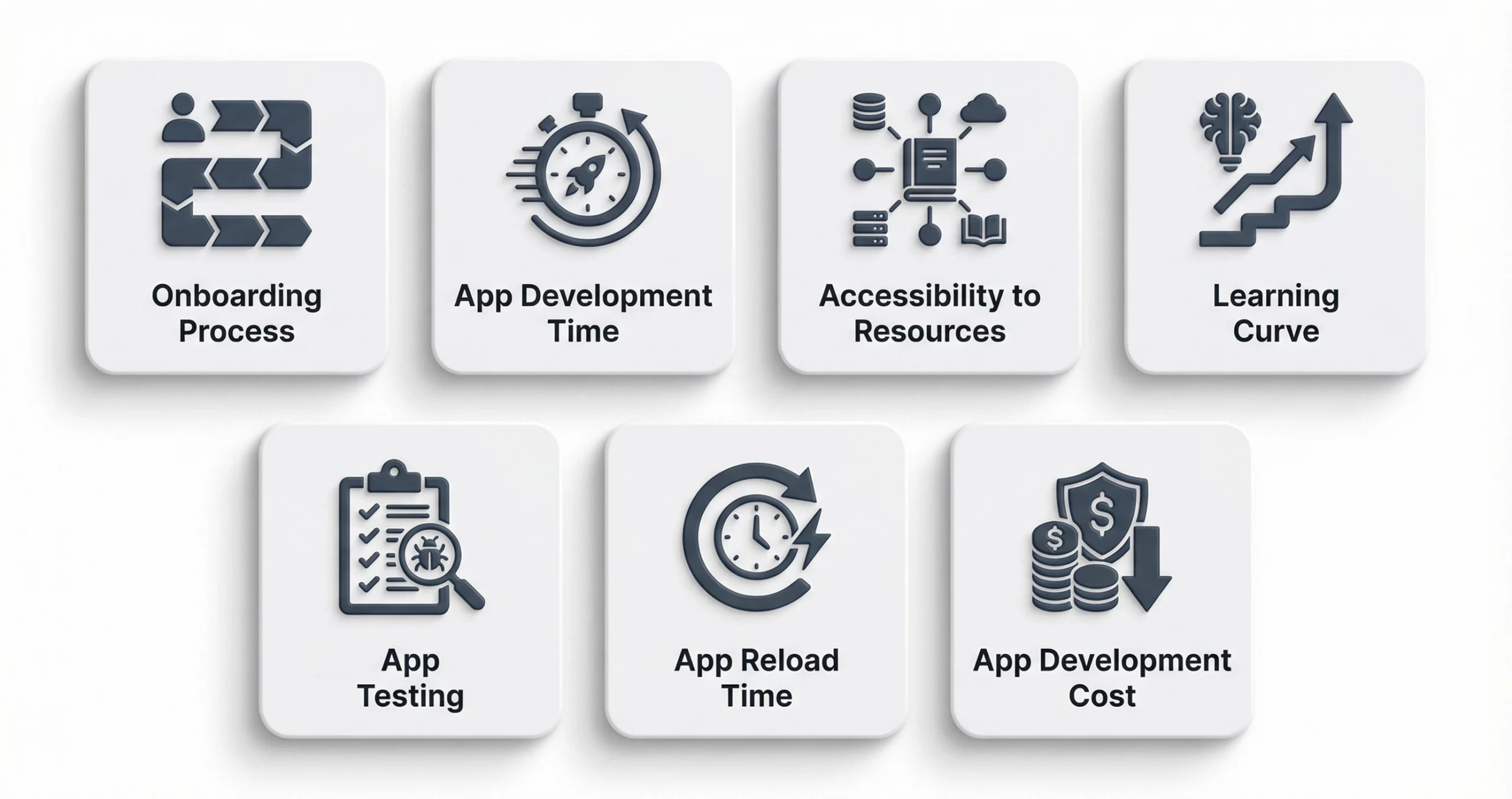
Determining which one of them suits a particular app project is complex. It is because Flutter uses a cross-platform development approach, the Dart programming language, and natively compiled UIs. Swift, on the other hand, utilises Apple’s native SDK resources.
These differences not only affect the iOS app development cost but also app performance, scalability, and long-term maintainability of the final product. Therefore, it is important to understand the difference between them and have a detailed insight into the comparison of Flutter vs Swift. So, let’s deep dive into this:
1. Onboarding Process
The onboarding process means that developers are familiar with the new interface and functionality of the tool. When you hire an iOS app developer, you need to ensure the developer can smoothly adjust to the development tool. So when it comes to getting started with iOS app development with Flutter, it requires a dedicated process. Developers need to go through a detailed ‘getting started document for macOS. They have to use Xcode and the Flutter binary.
Swift is used as part of native app development. So developers have to use Xcode as the IDE along with a macOS device to use Swift as the programming language. Once you install Xcode on the macOS device, you can start a new iOS project in Xcode by following the steps below:
File>New>Project>iOS>Single View App.
Here, Xcode makes the iOS template code. Developers can smoothly start developing iOS apps.
So, on comparing Flutter vs Swift in terms of performance in the onboarding process, the winner is Swift. This is because it offers a more seamless onboarding experience, while Flutter requires additional setup.
2. App Development Time
Flutter allows you to run a command on Flutter to check the development time for the project. Usually, Flutter has a slower speed in iOS development than Swift. It is because Flutter lags behind in giving developers clean builds, which helps in creating apps much faster. It builds processes, thus resulting in increased iteration time, specifically for the iOS environment.
Swift, on the other hand, provides a cleaner build than Flutter. Xcode provides template code that enables developers to write code much faster. With its native tooling, platform-specific libraries, and strict integration with Apple’s ecosystem, it allows developers to implement features more efficiently during the iOS app development process. As a result, Swift helps in delivering faster iOS app development services.
Apparently, Swift is the clear winner in this comparison parameter of Flutter vs Swift.
3. Accessibility to Resources
For developing apps, a developer might need various tools & additional resources. The more resources a technology has to offer, the wider its accessibility is. Flutter is, after all, a third-party iOS development technology. It depends on external sources for integrating additional features into the app. Flutter lacks internal support and tools for allowing the creation of advanced-scale iOS apps.
On the contrary, Swift comes with wide in-built capabilities and tools. It utilises iOS native UI SDK, which is much faster and easier to integrate with iOS apps. Apple offers various tech stacks for creating a variety of innovative features like wearables, AR, IoT, and more. And all these tech stacks can be smoothly implemented with Xcode and Swift.
Hence, in this context, Swift stands out as the winner of the Flutter vs Swift debate.
Read Also: IoT App Development: Useful Tips for Building Top-Notch IoT Apps
4. Learning Curve
The learning curve of iOS development technology shows how difficult it is to code and create apps. If a tool has an easy learning curve, it will increase the development speed as developers can smoothly work with it. Here, Flutter stands out among popular frameworks in terms of learning curve. It provides rich documentation support and a strategic iOS app development process.
Swift is a native programming language of iOS. It comes with improved capabilities over Apple’s previous programming language, Objective-C. So developers don’t find any sort of difficulty while coding with Swift. In addition to this, Swift was launched in 2014. So it offers rich support for iOS development. Developers need fewer tools as compared to Flutter when creating iOS apps.
Thus, in this Flutter vs Swift case too, Swift stands out as the winner.

5. App Testing
For app testing, Flutter has a robust testing framework. It allows developers to write cleaner code starting from the initial development phase. It has additional testing features for conducting all the required tests, like performance and unit testing. It also enables teams to validate UI behaviour and business logic early in the development cycle.
Swift gets the advantage of being a native language. When using Swift, developers get access to Apple’s native testing tool called XCTest. With this tool, they can perform multiple tests and ensure the app is free from all kinds of bugs or technical flaws.
On comparing Flutter vs Swift in terms of testing, both win. So in this criterion, there is a tie.
6. App Reload Time
Flutter has a prominent feature popularly known as Hot Reload. This feature enables developers to make changes to the code and review it in real time. IT allows developers to instantly visualise the done changes in UI, without restarting the application. Flutter developers can easily check the changes made in a few seconds. As a result, it assists in speeding up the development process.
In iOS native development with Swift, app loading time is slower than in Flutter. It requires considerable time and process to make changes. iOS developers have to put in manual effort to ensure the simulator displays the changes made to the code.
Hence, it is evident that Flutter defeats Swift to emerge as the winner of the Swift vs Flutter debate in this aspect.
7. App Development Cost
The Cost to build an iOS app is the most important consideration that most business owners take care of. Generally, choosing the right mobile app development company in USA for developing iOS apps requires a considerable budget. For startups and entrepreneurs, it is not affordable for them to create apps multiple times and spend huge amounts on maintaining them.
Flutter here takes advantage of being a cross-platform development framework. It uses a single codebase for creating apps for iOS, Android, and other platforms. Plus, businesses don’t have to spend a lot of budget to hire Flutter app developers.
Developing iOS apps with Swift is relatively expensive. It allows the developers of any custom app development company or around the world to use only the native IDE and Apple’s own resources. Moreover, since Swift is built for a native development approach, business owners can’t deploy the same app for other OS platforms. They have to create a new app if they wish to launch it for other platforms like Android. Thus, it increases the cost of iOS app development.
Hence, it is clear to see that Flutter stands out as the winner of the Swift vs Flutter battle when it comes to the cost of app development.
Read Also: How Much Does Flutter App Development Cost?
Flutter vs Swift: When to Choose What?
We have provided you with a detailed comparison to help you choose the best. It’s important to understand that selecting between Flutter vs Swift apps depends on your business goals, budget, and target audience. To help you further, we are going to tell you when you should select Flutter or Swift:
When to Choose Flutter?
Choose Flutter when:
- You want to build iOS and Android apps using a single codebase
- Faster development and quicker time-to-market are important
- You are developing an MVP or startup-focused product
- Cost efficiency and reduced maintenance effort are priorities
- You plan to scale the product across multiple platforms in the future
When to Choose Swift?
Choose Swift when:
- Your primary focus is iOS-only app development
- You need deep integration with Apple’s ecosystem
- Performance, security, and native user experience are critical
- Your app includes complex workflows or platform-specific features
- You are building enterprise-grade or performance-intensive applications
Wrapping Up
There is no one-size-fits-all solution when it comes to comparing Flutter vs Swift. Both of the technologies are mature and provide various strategic advantages to many startups and growing businesses. Flutter offers benefits such as faster development cycles, lower app development costs, and the ability to build applications for multiple platforms using a single codebase.
In contrast, Swift enables native iOS development with seamless access to Apple’s ecosystem. It delivers enhanced app performance and user experience. The right technology depends on your business-specific goals, actual budget scope, and the type of product vision you have.
If you are still unsure which technology to choose, you can partner with an experienced iOS app development company. At RipenApps, we help you evaluate your requirements and guide you in selecting the right framework and tools that support long-term business success. We can also ensure that your product delivers real value in a competitive market.
FAQs
Q1. What is the cost to build an iOS app with Flutter?
The cost of iOS application development with Flutter depends on several key factors like app size, core features, backend complexity, 3rd-party integrations, AI-powered features and more. Hence, it is advisable to get a quote for the iOS app project from a Flutter development company.
Q2. Which is the better tool for developing iOS apps, Flutter or Swift?
Flutter and Swift are different types of technologies for app development. Which tool is best could be determined based on what type of application you want to build. If cross-platform and low development budget are your concerns, then Flutter is ideal for you. And if you exclusively want to build an app for iOS, then Swift is better.
Q3.Which are the top companies that have used Flutter?
Many leading brands have used Flutter in their applications. Some of these are as follows:
- BMW
- Alibaba Group
- Google Pay
- Dream11
- eBay Motors
Q4. Which is easier to learn, Flutter or Swift?
When it comes to learning the programming language, Swift has a slight edge over Flutter. Swift uses an improved version of Objective-C, which is quite easy to use and comes with clear coding syntax. However, Dart is now a mature and widely adopted language, which makes Flutter also easy to learn for many modern developers.
Q5. Can I use Swift with Flutter?
Yes, Swift can be used alongside Flutter. Flutter allows developers to integrate native iOS code written in Swift using platform channels. This makes it possible to access native iOS features, system APIs, or existing Swift libraries while still leveraging Flutter for cross-platform UI and business logic.

SHARE
WRITTEN BY

Prankur Haldiya
Chief Technical Officer
A tech innovator and engineering leader, Prankur Haldiya drives RipenApps’ product development strategy and oversees cutting-edge solutions in mobility, AI, and cloud ecosystems. He is passionate about building high-performance teams and helping brands launch secure, scalable, and user-centric digital products.
View All Articles