

Ever noticed how we’ve stopped clicking around so much and just started talking to our devices? Whether it’s telling Google Assistant to play your workout mix or chatting with a customer support bot on your favorite shopping app, conversational UI is becoming the new normal.
In today’s fast-paced digital world, users crave interaction that’s intuitive, responsive, and almost human-like. They don’t want to scroll endlessly through menus; they want answers, action, and clarity—instantly. And that’s exactly why Conversational UI is rapidly becoming a game-changer in custom Android app development.
This blog dives into the top 7 incredible benefits of integrating conversational UI into your custom Android apps—from creating better user experiences to increasing retention, accessibility, and competitive edge. If you’re building or planning to build an app that actually connects with users, this is a trend you can’t afford to ignore.
Table of Contents
What is a Conversational UI?
A Conversational UI, short for Conversational User Interface, lets people talk to digital systems employing natural human-like dialogue, usually through text or voice. An app that allows the user to simply type in a message or say a command to have the records fetched from the system and show their results, conversing with the user, often reaches the definition of conversational UI.
You may have encountered this before. An example would be chatting with a few support bots on an e-commerce app or Siri, or Google Assistant to check the weather forecast or to book a ride. All of these are categorized under conversational UI.
At the heart of the conversational UI lie AI, machine learning, and natural language processing (NLP), which interpret whatever the user is saying (or typing), infer the user’s intention, and react to that: oftentimes with great speed and accuracy.
Types of Conversational UI
There are several types of conversational interfaces with various strengths and use cases. Below is a rundown of the most common types of conversational interfaces used by mobile apps today:
1. Chatbots (Text-Based Interfaces)
Chatbots on the interfaces may be the most familiar implementations of the conversation user interface. The text-based UI is meant for users to type their queries, and the bot then returns relevant information, links showing directions, or opens an application.
2. Voice-Activated Assistants
Voice UIs use speech recognition and natural language processing to let users interact hands-free. Common in smart home apps, productivity tools, and navigation systems, voice assistants provide seamless access to information or commands using natural speech.
3. Hybrid Interfaces (Voice + Text)
Certain apps offer both text and voice functionalities, giving users a flexible multi-modal experience. Conversely, such conversational interfaces are built by user preference, allowing accessibility and ease of use across different environments.
The Role of Conversational UI in Custom Android Apps
In custom Android app development, where the principal objectives include personalizing an application and making it usable, a conversational UI enables interaction between man and machine in the most straightforward of ways. Let’s understand specifically how conversational UI adds value technically and practically in the Android world.
1. Making Apps Feel More Human
At its very core, the conversational user interface enables people to speak very naturally to their apps. Rather than clicking here and there and trying to figure out the navigation, users just type or speak as if they were someone dating. Thus, lesser friction, quicker gratification, and in-built elegance of the user experience.
Conversations between a shopping app and a customer asking for product queries or being guided in purchase decisions, or between a fitness app and a user asking for customized advice, create warmth and a sense of easy duo that every brand wants in its digital interaction points.
2. Enhancing the User Journey through Smarter Flows
Ever feel overwhelmed by an app that asks you to take way too many steps? Conversational UI disposes of that. Through stepwise guidance in a friendly manner, the apps help in reducing decision fatigue.
Booking, purchasing, onboarding, or troubleshooting will be more of a conversation than a task to complete. This design-wise helps reduce drop-outs, and from a business side, it ensures a better conversion rate.
3. Leveraging the Power of Voice Assistants and AI
Using state-of-the-art NLP and speech recognition, AI-powered apps and voice assistants have changed the very concept of app usability. Just picture a custom Android app that allows you to speak to it rather than tap five times.
It is not the realm of the future anymore; it is here. Voice-led conversational UI is especially effective in hands-free scenarios for users. It is a blessing in disguise for accessibility among certain groups of users or for multitasking users.
4. Personalization at Scale with Machine Learning
Now, it really gets cool. When you use machine learning in Android app development process, the conversational UI transitions into one that learns from you. That is, an adaptive system learns user behavior, predicts needs, and then tailors its responses accordingly; it’s like having a concierge that only gets better with every interaction.
By right, such personalization is expected nowadays. But what sets one app apart from the cookie-cutter crowd is the right application thereof. Want your app to feel smarter and more intuitive over time-well, that’s the learning-based conversations.
5. Backend Architecture Supporting a Dynamic Dialogue
Conversational UI is not just an interface tweak from a technical standpoint. It demands the backend to be flexible enough to integrate with APIs, language models, perhaps with response management systems, helping to keep conversations flowing smoothly.
For this reason, selecting the right custom Android app development company becomes all the more paramount. They structure your app towards real-time processing, multilingual support, and context-aware interactions.
6. More Data For Better Customer Experience
User interactions mean a learning opportunity. Conversational UIs equip you to glean contextual information, such as what users are requesting, how they’re phrasing those requests, and where they seem to get stuck.
With the right analysis, this feedback helps to shape your app experience over time. When that data is fed into ML models, your app grows, providing smarter and more useful engagement.
Top 7 Benefits of Integrating Conversational UI in Custom Android Apps
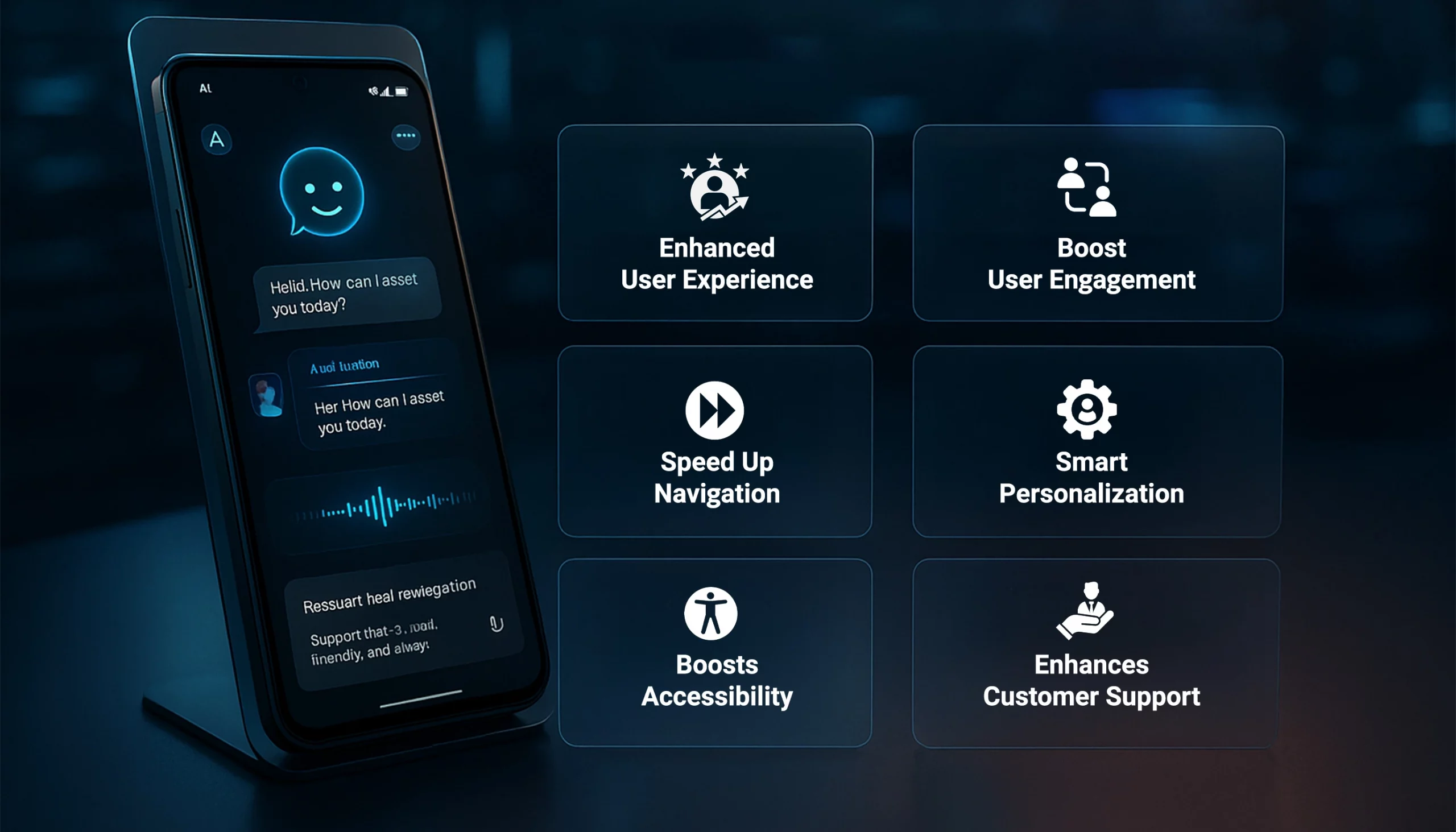
1. Elevates User Experience with Natural Interactions
In a fast-paced world, users want every task to be simple and real. That is where conversational user interfaces come into their strength. Navigating through the sea of buttons or dropdowns is so much; just ask away or give commands like chatting with a friend.
Booking a service, tracking an order, or simply asking for a suggestion conversational user interface provides a frictionless path to make the whole journey wonderfully human. This upper hand is something not to miss in custom Android app development services, where these apps solve user problems in innovative ways.
2. Boosts User Engagement and Retention
An application loses users because it feels… lifeless. So, imagine an app that responds as if it knows you. That is what conversational UI magic brings to your applications. More than ever, users want to engage with something that really talks to them and that really understands their preferences.
Either that chatbot remembers your patterns, being the one smiling and assisting you, or that voice assistant who just gave you a personalized greeting. These tiny conversational hints are glue.
If you want to keep your users from ghosting your app after the initial download, keep them conversing with light-hearted interactions. This is just one of the reasons a lot of companies have decided to hire a mobile app developer who specializes in conversational UI.
3. Speeds Up Navigation and Task Completion
For example, imagine the process of selecting one specific item from a shopping app with 20+ categories. Does the thought already hurt? Now, just imagine saying, “Show me blue sneakers under $100,” and instantly having what you want. That’s the power of conversational UI. It cuts down the time (and effort) needed to perform a task in half. What could take 6 taps and 3 scrolls now takes one sentence.
When working with the top Android app development company in USA, intuitive flows like this are baked right into the UX from day one, and it sure helps transform your app into a speed machine.
4. Enables Smart Personalization at Scale
Personalization is now a prerequisite. Users expect the whole experience to feel tailored. Through the use of AI and ML, conversational interfaces learn user behavior, user preferences, then, based on such data, serve users smarter, more relevant content.
In return, a health application may provide suggestions for customized training plans based on previous workouts. A travel application might propose weekend trips based on recent inquiries. And this all happens in a smooth conversation.
If you want to deliver personalization without clogging the UI, then conversational design is the way forward. Collaborating with a UI/UX design agency can help to build that nifty layer into your product.
5. Boosts Accessibility and Inclusivity
Not every user interacts with applications in the same manner, and some can really make it hard to do so. Voice and chat interfaces from an inclusive path for users with visual impairment, motor limitations, or low digital literacy. Through voice commands or basic chats, users can get their way through apps that might come off as complex. Building an app for everyone is a major task in global markets, and if you use conversational UI, you might already be on the highway towards that goal.
6. Enhances Customer Support and Self-Service
Nobody wants to get put on hold for minutes or to flip through countless help articles. It routes the conversational UI to support inside the app, instantly, and on demand. AI-powered chatbots and smart chat flows can answer FAQs, track orders, and reschedule appointments, or escalate to a human agent if necessary.
Hence, this actually is a big upgrade from previous versions of support. Also, in the long run, this will bring down Android app development cost as fewer live support agents are needed when the app can efficiently handle 80% of user queries.
7. Drives Competitive Advantage and Innovation
Here is a reality: The conversational UI is not a mere trend-it is just the new normal. Brands that have been early in incorporation are already winning. Conversations are the bridge between Gen-Z users who anticipate seamless UX and enterprises searching for AI-first customer touchpoints. Natural language processing, multilingual support, and proactive assistance are among the top Android app development trends in 2025.
So, if your app is currently not talking to its users, it will probably lose to the one that does. To retain the top spot, many brands now prefer to hire Android app development company that specializes in conversational workflows, so they will not just be doing apps but building a ready ecosystem for the future.
Real-World Examples of Conversational UI in Android Apps
Here are real-time examples of Android apps using conversational UI in creative and intuitive ways that enhance user experience, illustrating just how practical and powerful a design approach this really is.
1. Google Assistant
Google Assistant is practically the gold standard for conversational UI in Android apps. It allows users to perform a wide range of tasks just by talking. Be it setting reminders, sending messages, checking the weather, or even controlling smart home devices.
Good flow gives the users the feeling that they are almost dealing with a human being. To this end, Android app developers consider this the experimental benchmark for conversational engagement. More and more brands now wish to integrate the logic into their own apps for this very reason.
2. MyFitnessPal
MyFitnessPal is also a great example of conversational UI in Android apps. It is a popular health tracker app with implementations of conversational elements such as chatbot-based assistance, natural language food logging, and intelligent notifications, making everything feel less mechanical and more personal.
As a consequence, this conversational flow safeguards against making the users feel overwhelmed by choices or charts and helps them remain in concert with their wellness objectives. And this establishes that even apps not wholly focused on chat can gain from injecting some conversational moments.
3. H&M Virtual Shopping Assistant
Taking an additional step through Android app development, the fashion giant H&M supplies a smart style chatbot that suggests garments to customers based on their preferences. Talk to it: “I need an outfit for a beach party” or maybe, “show me oversized jackets,” and immediately it’ll start gushing options.
This blend of AI and custom Android app development brings convenience, personalization, and speed together—all wrapped in a simple chat interface. It’s a great example of how brands outside the tech space are using conversational UI not just as a gimmick, but as a core customer experience strategy.
Final Thoughts
The way users interact with apps is changing fast, and honestly, tapping and scrolling just isn’t enough anymore. People crave smarter, faster, and more intuitive digital experiences, and conversational UI in Android apps is stepping up as the game-changer.
From smoother navigation to real-time support and hyper-personalization, conversational interfaces are no longer “nice to have”. They’re becoming a core part of what makes apps engaging and future-ready. And if your Android app isn’t talking to your users yet, you might just be missing out on a massive opportunity.
Whether you’re aiming to enhance user engagement or simplify user journeys, partnering with a professional AI app development company that understands conversational design is your best move.
FAQs
Q1. How Much Does it Cost to Integrate Conversational UI in an Android App?
On average, for a basic chatbot feature, it might cost anywhere between $5,000 to $10,000. However, for advanced, AI-powered conversational experiences with voice recognition, real-time personalization, and API integrations, the range can go up to $15,000 to $30,000 or more.
However, the cost to integrate Conversational UI in Android apps can vary widely based on a few key factors. The best way here would be to partner with a custom Android app development company to get a better cost estimate based on your app’s goals.
Q2. What is Conversational UI in Android apps, and Why is it Important?
A conversational UI lets users interact naturally via text or voice, just like chatting with a person. It’s crucial because modern users expect intuitive, real-time responses, not endless menus or forms.
Q3. What Types of Conversational Interfaces are Used in Android apps?
Android apps typically use chatbots (text-based), voice assistants, hybrid text/voice systems, and visual conversational UIs. They are all designed to enhance interaction in different scenarios.
Q4. How Does Conversational UI Enhance user Experience in Android apps?
By allowing users to speak or type their intent directly, these interfaces reduce friction, speed up tasks, and thus make apps feel intuitive and human-centered, key for engagement and retention.
Q5. What Technical Considerations are needed to implement Conversational UI in Android?
You’ll need NLP engines, backend integrations, conversational flow logic, and context management. They are ideally handled by an experienced custom Android app development team to ensure seamless functionality.
Q6. How do I evaluate a Conversational UI Designer or Agency?
Try to look for experience in conversational UI design, a strong grasp of multilingual flows, context retention, and successful apps which your Android app development company has delivered with conversational UI features.

SHARE
WRITTEN BY

Manish Kumar

Manish is a Senior Technical Content Writer at RipenApps. He has over 7+ years of experience and holds immense tech knowledge. His educational background in science and expertise in the IT domain has made him an expert writer. He has authored various tech blogs and guest posts for leading sites. When he is not writing, he researches on the latest market trends and reads sci-fic novels.
View All Articles